
Run your game-day sound.

Connect your audio, choose your game and keep the operator in control. Start with the released baseball and softball workflow: prepare your lineup, check the sound and run the next batter.

The complete Spark explainer

See the complete Spark game-day workflow.

In 68 seconds: build a player walk-up, trigger the next batter, follow supported GameChanger moments, keep manual Hype ready, and feed the browser scoreboard or native HDMI output.

Spark firmware 4.2

Get ready for the first batter.

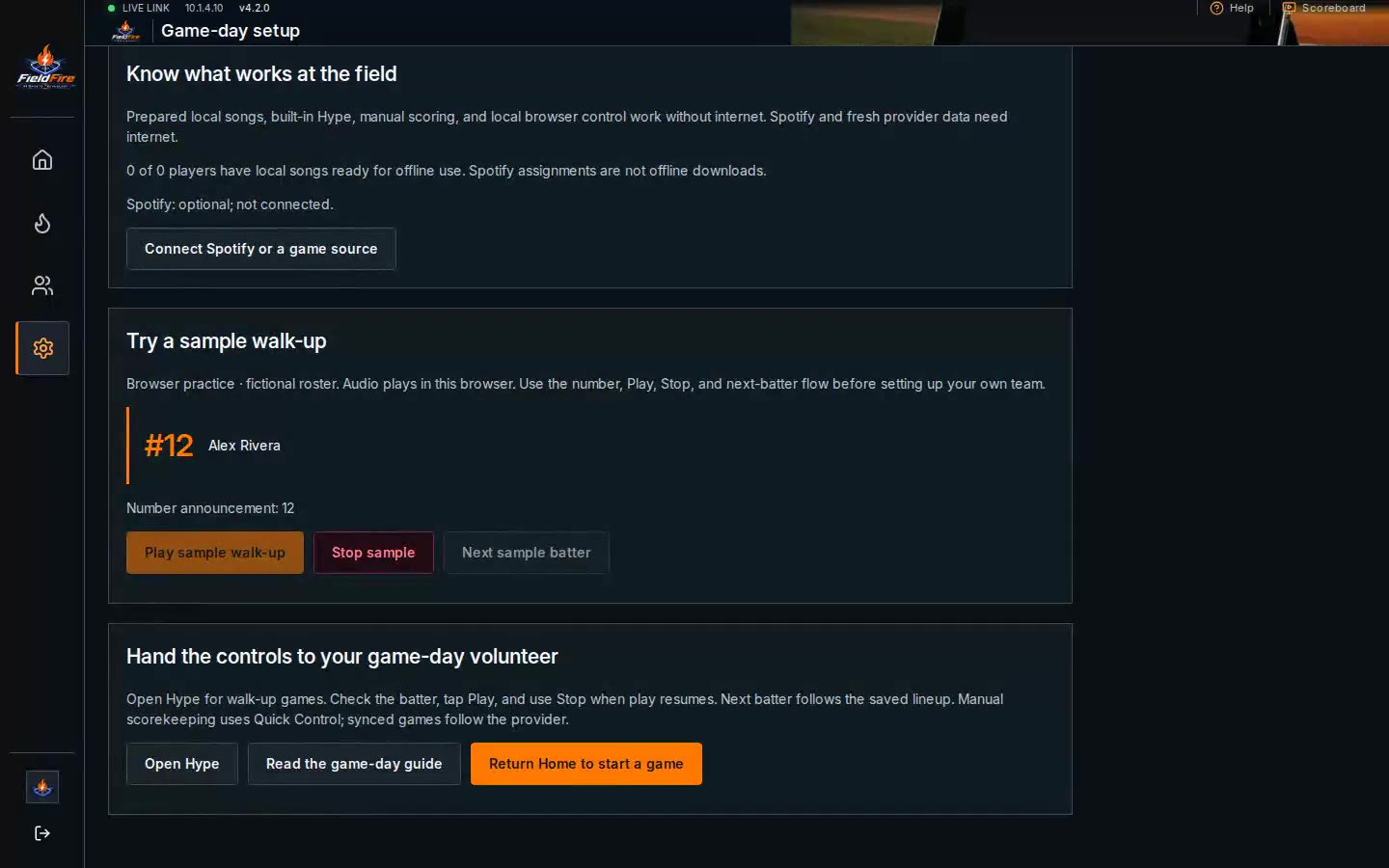
Guided setup checks your sound. CSV import gets your lineup ready. Optional saved player-name recordings add a personal introduction between the number and song.

Spark firmware 4.2 guided game-day setup
Guided game-day setupRecorded software workflow · firmware 4.2 · silent demoOpen recording
Spark firmware 4.2 fictional team lineup and walk-up editor
Import and review your lineupRecorded software workflow · fictional roster · silent demoOpen recording
01

Assign each batter once.

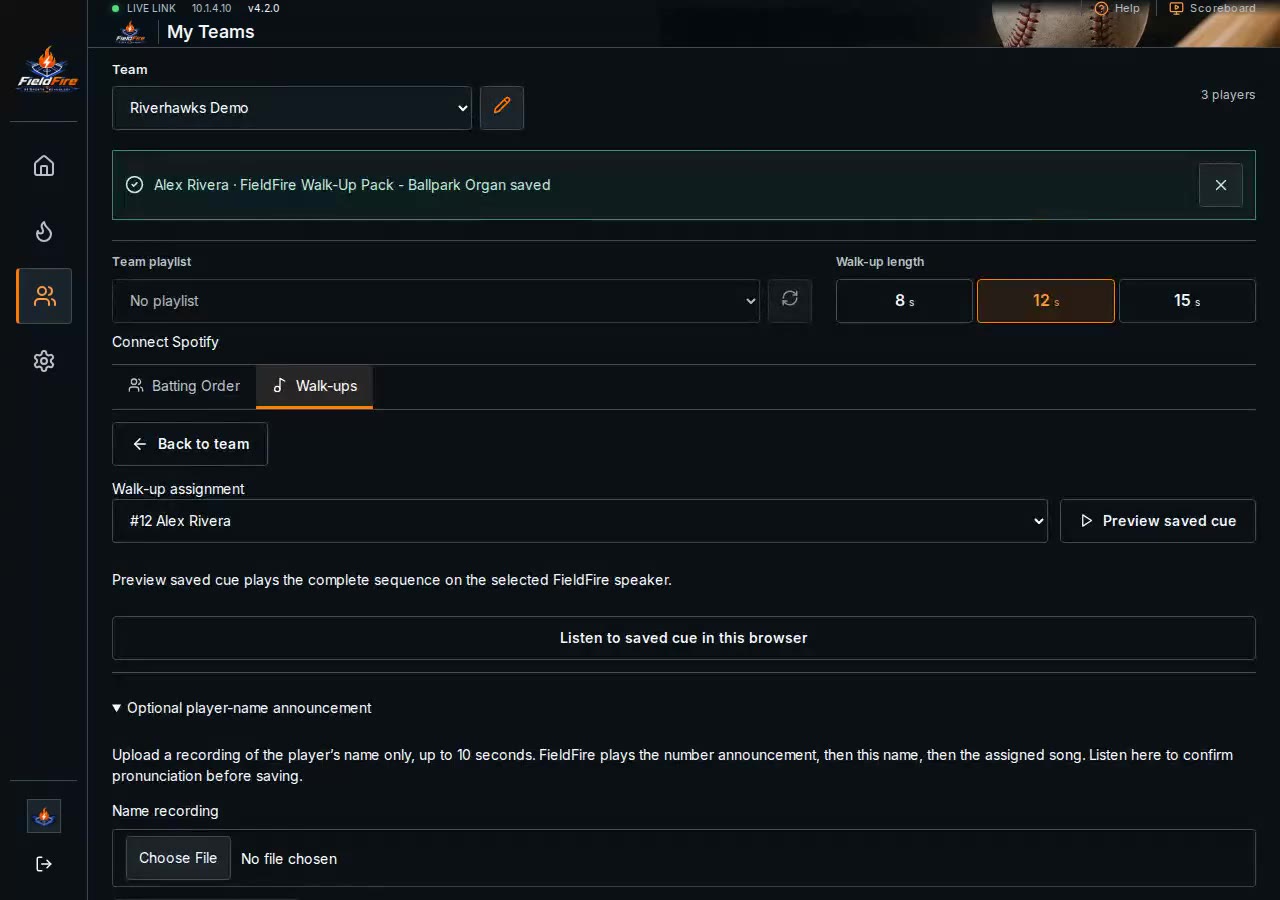
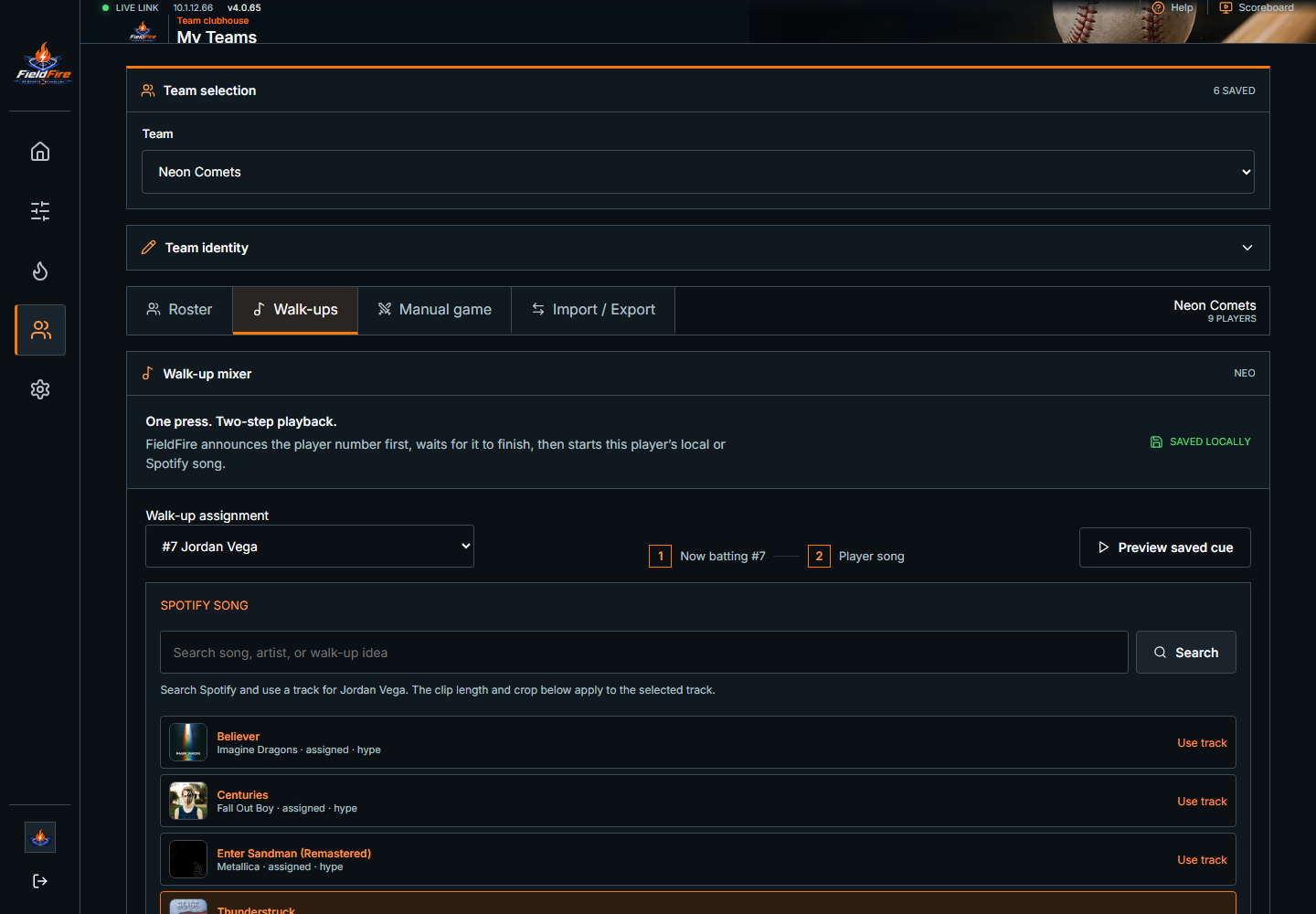
Import a roster CSV or add players individually. Save each player’s number, song and start point. Preview full cue runs the number announcement, an optional saved name recording, then the assigned song crop through your selected Spark output.

Player walk-up assignmentSpotify search, timing selection, and save in the real FieldFire interface.
02

Let supported game state handle the timing.

When a live GameChanger game is selected, FieldFire can resolve reviewed cues for scoring, momentum, defense, outs, situational pressure, game flow, stadium sound, and player walk-ups. The selected “Your team” focus keeps offense and defense pointed at the right dugout.

Automatic rules use reviewed, precanned templates. Operators decide which automatic categories are armed before game time, while manual controls remain available.

FieldFire Device Hype settings showing automatic categories and their on or off state

Device › Hype · Recorded in FieldFire 4.0.65 · current interface may differ

03

Keep the operator in the game.

Walk-Up Game Mode advances through the lineup one player at a time. Curated manual hype remains directly below, ready for a coach, parent, announcer, or tournament operator to trigger without leaving the game view.

Manual walk-ups and hypeTrigger the next batter while manual hype options stay ready.
04

Use Spotify for the song, FieldFire for the cue.

FieldFire controls the connected Spotify account and its local receiver. Choose one 8, 12 or 15-second walk-up duration for the team and save each player’s start point; the timer begins only after the stream is actually running, then FieldFire fades the cue cleanly.

Spotify requires Premium and internet access. If the receiver is not ready, reviewed local FieldFire audio provides the fallback for automatic moments.

FieldFire player walk-up builder with Spotify song assignment

My Teams › Walk-Ups · Recorded in FieldFire 4.0.65 · current interface may differ

Spotify + local audio

Their song. Your ballpark sound.

Give each player a walk-up, add reviewed music to game moments, and keep the organ classics ready for the crowd.

01 · Player walk-ups

Start at the good part.

Choose each player’s song and start point, then set one 8, 12 or 15-second duration for the team. Spark announces the number, plays an optional saved name recording, then runs the saved song crop with a clean fade.

See song assignment ↗
02 · Automatic moments

Match the music to the play.

Enable Spotify moment mixing in Device › Hype. Reviewed selections follow supported game moments and your team focus. Local template audio takes over when the receiver is unavailable.

Explore automatic hype ↗
03 · Ballpark organ

Bring the crowd together.

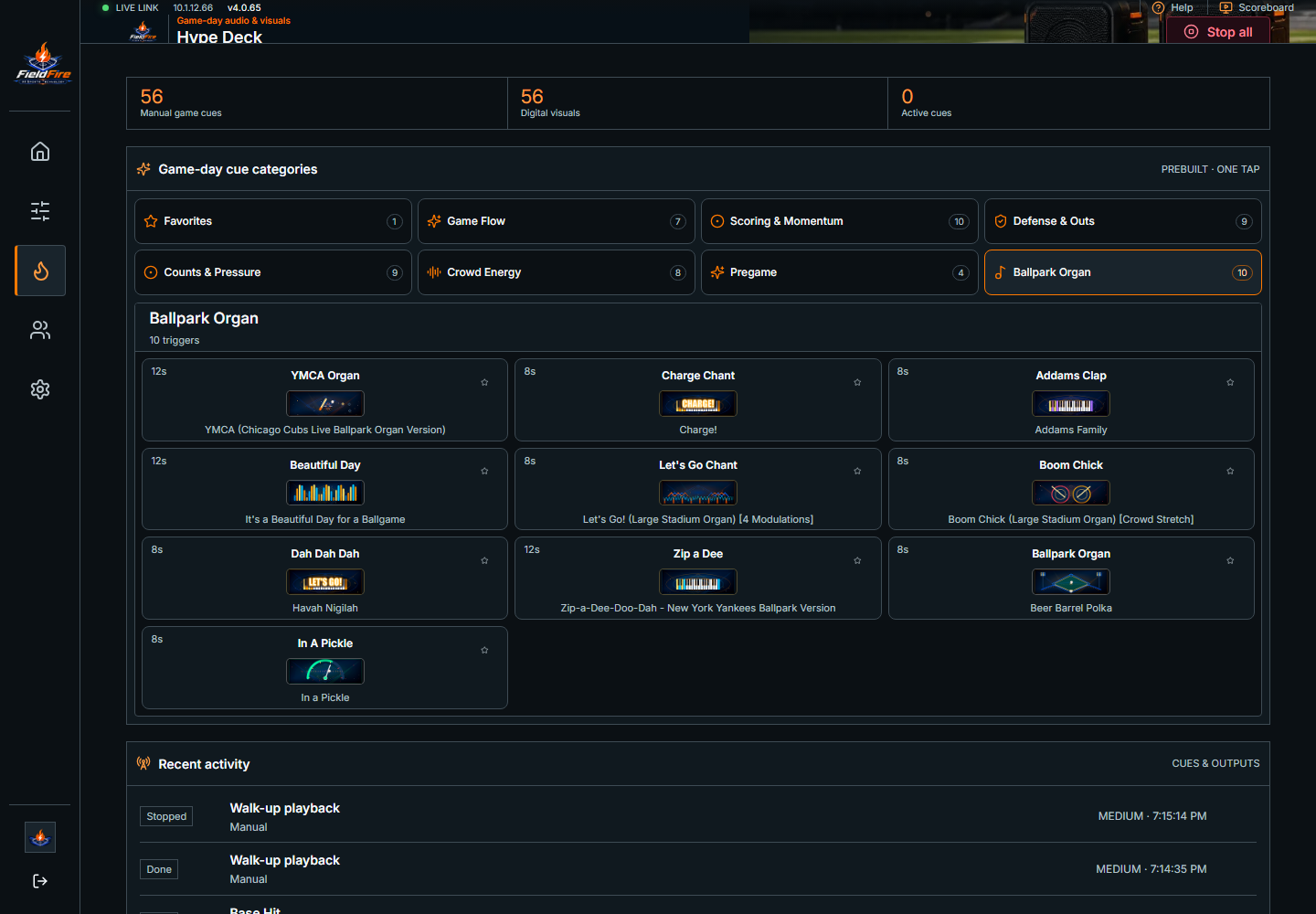
Charge chants, claps, rally stingers and ballpark favorites sit together in the Hype Deck. The operator calls the moment and can stop the cue whenever play resumes.

Read the music guide ↗
FieldFire 4.0.65 Hype Deck showing the Ballpark Organ drawer with reviewed chant and organ cues
A real deck for real game day.

Ballpark Organ, Crowd Energy, Game Flow, Scoring & Momentum, and more. Browse the reviewed deck before the game, then keep your favorite cues close.

Explore the FieldFire Hype playlist on Spotify ↗The playlist is a source of inspiration; automatic playback uses reviewed moment clips. Spotify Premium, internet, authorization and applicable music permissions are required. Spark includes local cues; it does not include a Spotify subscription or music license.

Your team. Your crowd. FieldFire.

Made for your team.

Bring reviewed walk-ups and game-day hype to youth baseball and softball, through the speakers your team already uses.

For coaches, parents and game-day operators

Make their game feel big.

Prepare your lineup, assign each player's song and keep one-tap Hype close at hand. An adult operator stays in control.

See the walk-up workflow
Baseball & softball Released
Player announcements, saved walk-up songs and game-day hype. Use supported GameChanger or USSSA workflows, or run the game manually.

Know before you order

Baseball and softball are ready today.

The released diamond pack also includes MLB. Provider coverage varies by game and account.

Other sports and watch parties

Football, basketball, soccer and expanded pro or college sync are in development and are not included in current stable firmware. Wait for an announced signed firmware release before planning their use.

Check your speaker setup

Check the field before game day.

Tell us about your speaker, scoring workflow, and network. We’ll confirm the cleanest Spark setup.