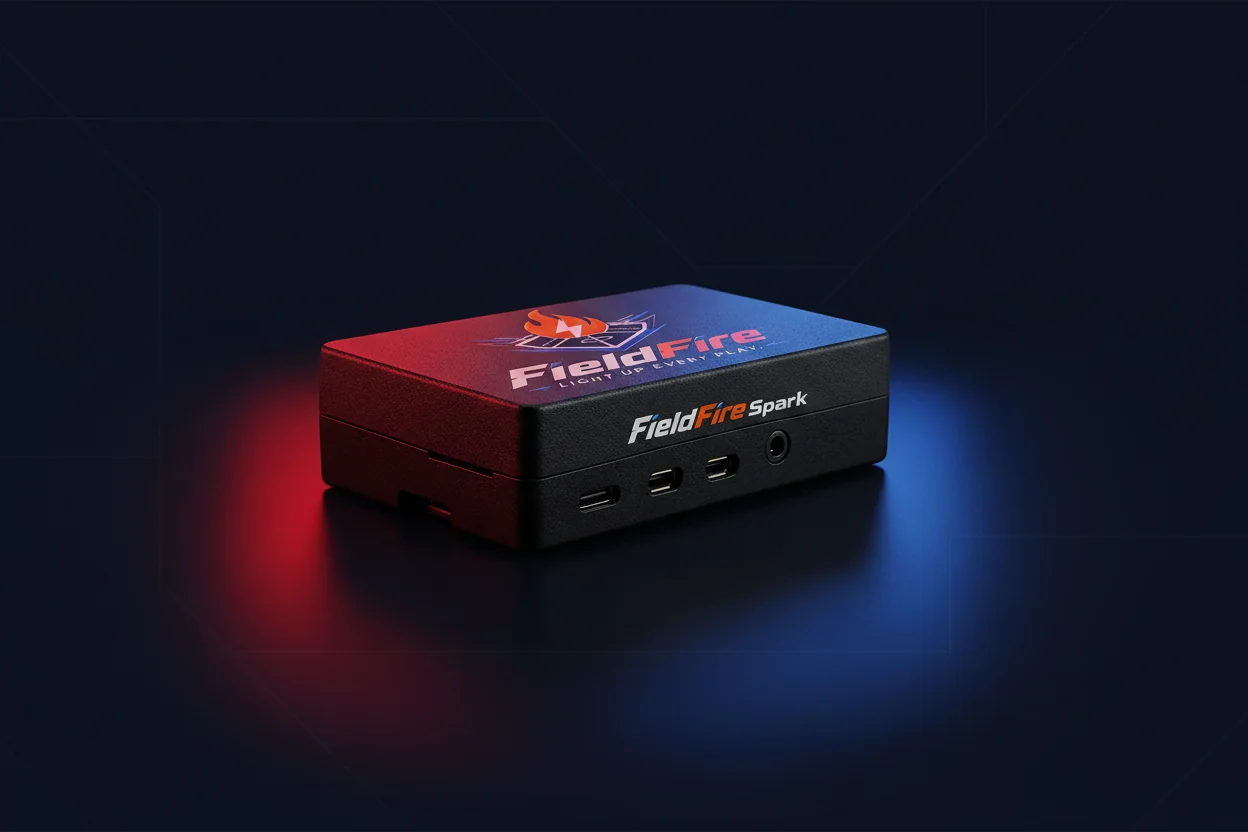
FieldFire Spark
$299 · one-time hardware purchase
- Audio plays from the dedicated Spark controller.
- Control it in a browser on your local connection.
- Optional browser or HDMI audience scoreboard.

FieldFire Spark brings player walk-ups and game-day hype to your baseball or softball team's speakers.
$299One-time hardware purchase
Controller only. Speakers and displays sold separately.Playback could not start. Use the video controls or open the recording directly.
Watch the software workflow: choose the player, announce the number, play the saved song.
Explore the full workflowGuided setup, CSV import and optional player-name recordings are available with Spark firmware 4.2. Use the current firmware before preparing game day.
Use guided setup to choose Bluetooth or 3.5 mm output, set the volume, and run a sound check with your compatible speaker or PA.
Import a roster CSV or add players one at a time. Save each player's number, song and start point in your browser.
Spark announces the player number, an optional saved name recording, then their song crop. Keep one-tap Hype ready between plays.
Choose where the audio runs. The app is a separate product—not a required Spark purchase.
$299 · one-time hardware purchase
US$14.99/month at launch · store-managed billing
A dedicated controller for the audio setup you already have. Check the connections before you order.
Run the setup checkMusic subscriptions, music rights, speakers and screens are not included.
No. You can assign authorized local audio to players and use built-in Hype cues. A display is optional. Spotify playback needs Spotify Premium and internet access.
The Spark controller and its local FieldFire software. Music-service subscriptions, speakers, displays, cables and any required music permissions are separate. The phone app has its own store-managed subscription.
Supported live GameChanger games can provide batter and game context. An adult operator sets up the game, chooses their team and enables the desired automatic cues. Manual walk-ups and Hype remain available.
Confirm your speaker input, power and local network. Spotify and GameChanger need internet; prepared local audio does not. Use the setup check to review your exact connections before ordering.
Bring player walk-ups and game-day hype to your team.
Current FieldFire interface
Real screens from Spark software 4.0.65. The fictional Neon Comets show the workflow from roster prep to the next batter.
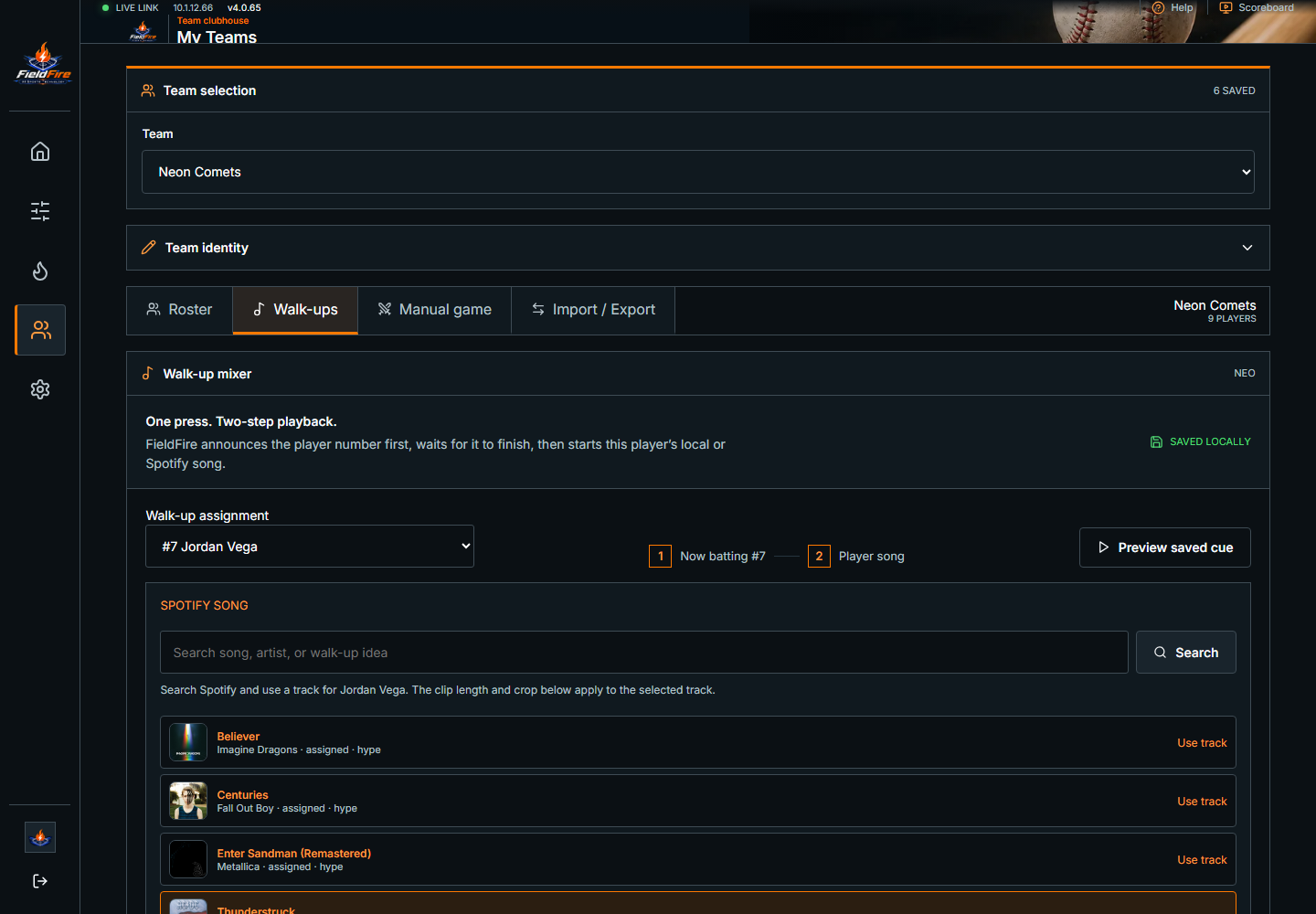
Save the player's number, song and start point in My Teams.
Open full screen ↗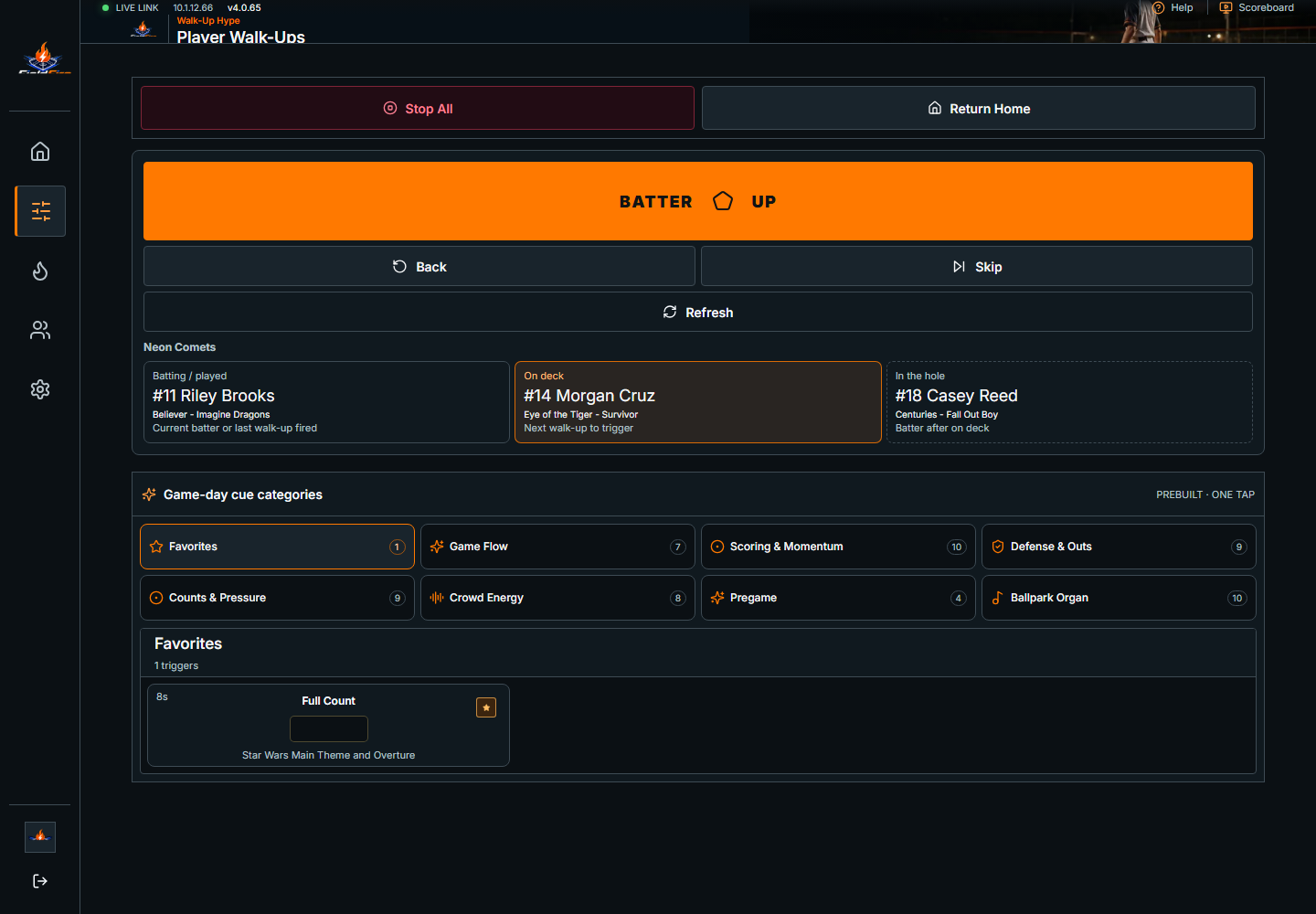
One clear batter control, with the next two players in view.
Open full screen ↗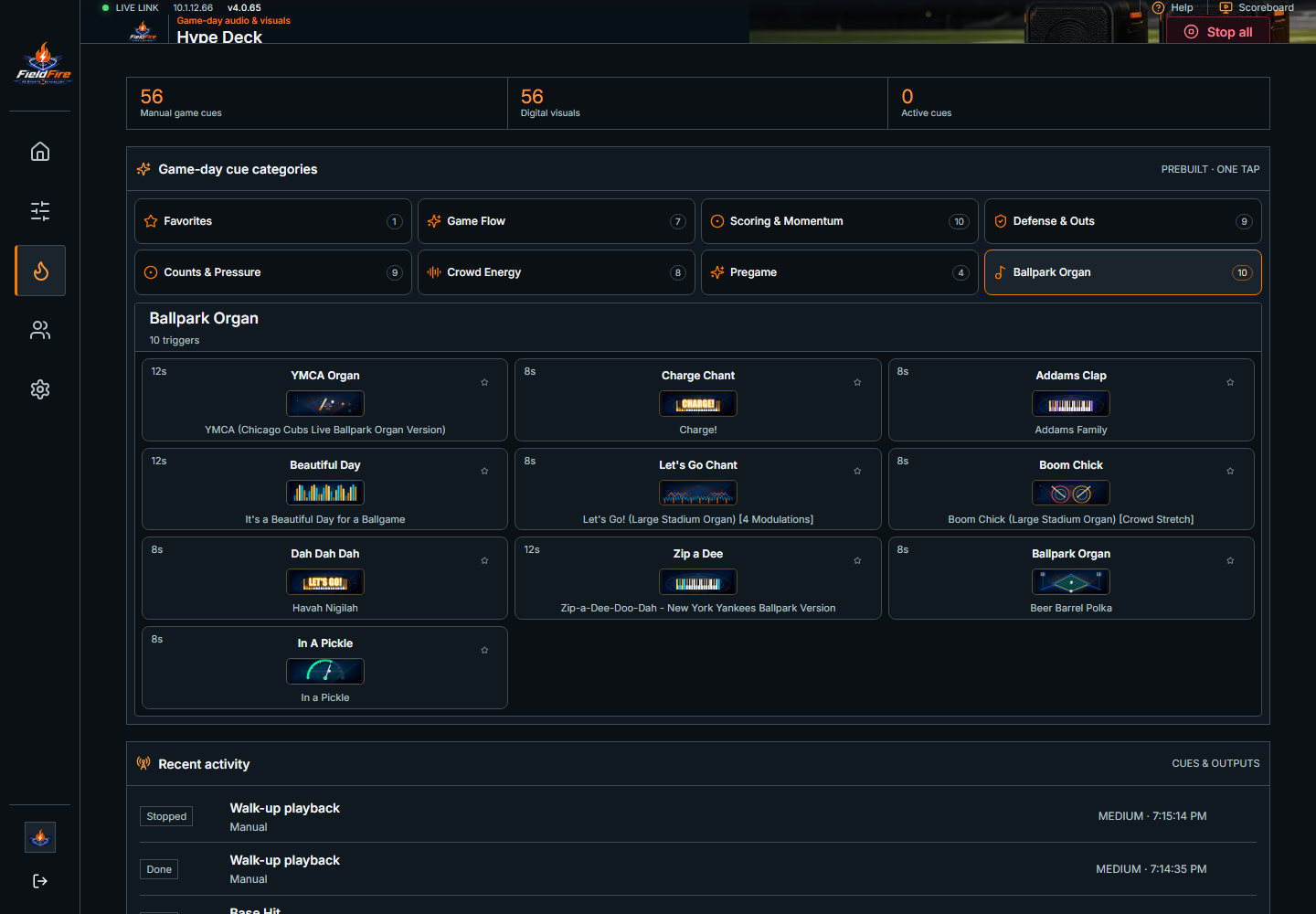
Reviewed organ, crowd and game-moment cues in the Hype Deck.
Open full screen ↗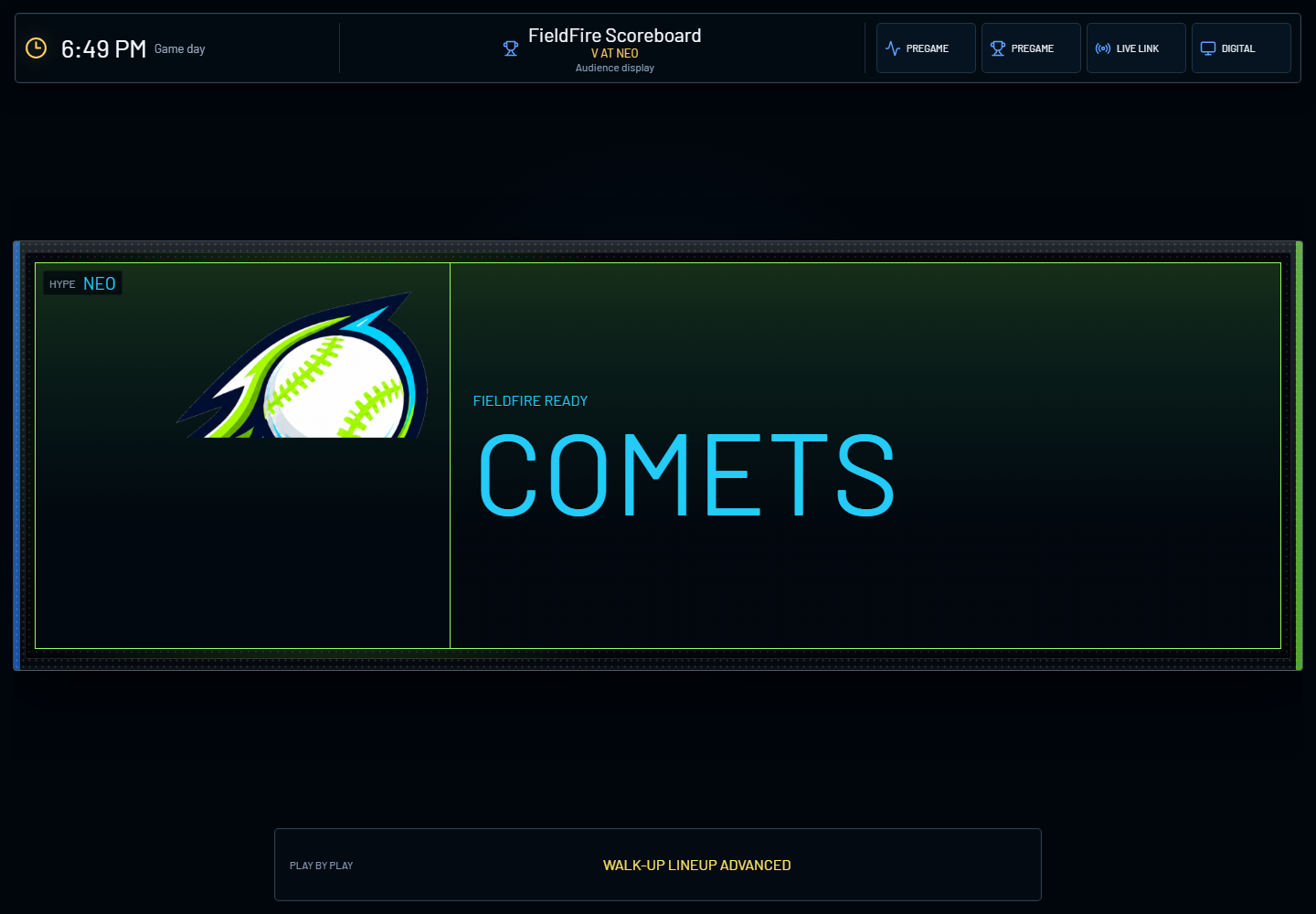
An optional audience display follows the same game session.
Open full screen ↗